Agent Engineering is now a headless, Notion-like rich text CMS. Users can write posts and share them via API on their own platforms.
Registered users can create posts with an excellent user experience using a rich text editor similar to Notion. Slash commands allow you to insert elements like tables, headers, and images.
Agent Engineering includes an AI writing assistant to help craft better content. Built-in prompts for improving writing, correcting spelling, and expanding ideas save time and turn rough drafts into complete articles.
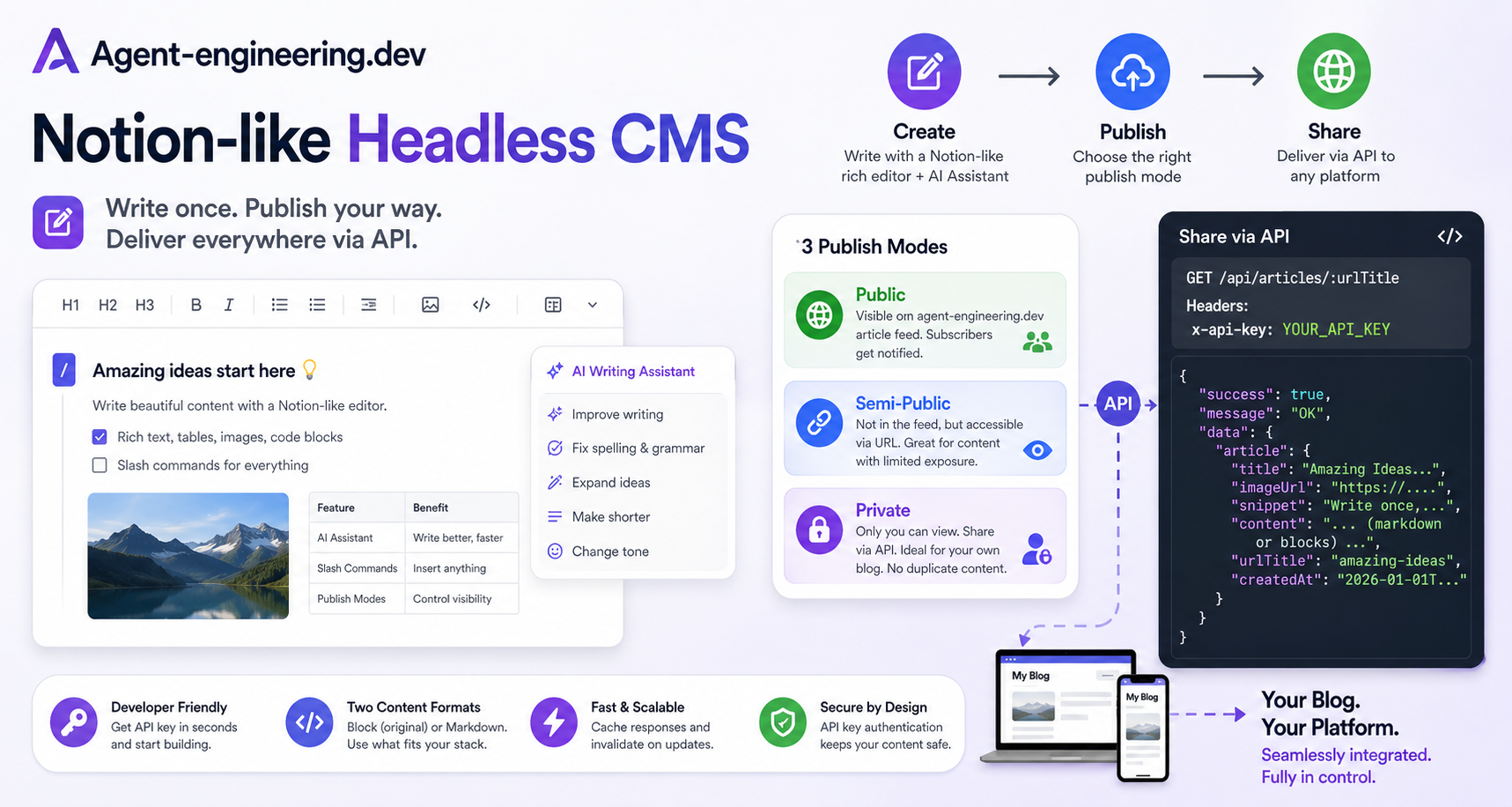
Three Types of Publish Modes
We support three publish modes:
Public
Semi-Public
Private
Posts published in Public mode appear in the agent-engineering.dev article feed, and subscribers receive notifications upon publication. This mode offers high visibility for sharing content on the platform.
In Semi-Public mode, posts do not appear in the agent-engineering.dev article feed but are accessible via their URL. This is ideal for content unrelated to agent engineering, leveraging the platform for organic traffic without full exposure.
Private posts are accessible only to their creator. Edit and view them on agent-engineering.dev, and share via API using your API key for authentication.
To share posts on other platforms like your blog, publish them in Private mode. This prevents Google from indexing the content on agent-engineering.dev, avoiding duplicate content issues that could harm SEO.
How to use API to share the content at the third parties, such your own blog system ?
Sign-up and get your first API Key
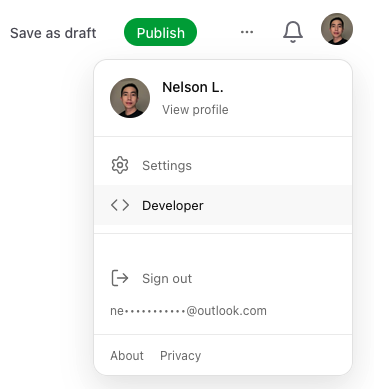
The first step is to sign-up. Create your first draft and publish it. After that, click the user avatar at the top right corner to go to developer page: https://www.agent-engineering.dev/developer
Create your first API key by setting its name and expiration. The API key is similar to the password. The user who has the API key has the access to have your access to your published blog at agent-engineering.dev
Get your first API result:
Retrieve your published article using the endpoint: https://www.agent-engineering.dev/api/v1/articles/:urlTitle
GET https://www.agent-engineering.dev/api/v1/articles/:urlTitleThe urlTitle is a slug from your published blog post that appears in the URL. For this post, it is: https://www.agent-engineering.dev/article/fix-for-langgraph-compatibility-issues-executioninfo-importerror-with-langgraph-prebuilt.
fix-for-langgraph-compatibility-issues-executioninfo-importerror-with-langgraph-prebuilt is the urlTitle.
For authentication, include your API key in the request header using one of these methods:
x-api-key: <YOUR_API_KEY>Authorization: Bearer <YOUR_API_KEY>An example is shown as below:
curl -s \
  -H "x-api-key: <YOUR_API_KEY>" \
  "https://www.agent-engineering.dev/api/v1/articles/testing"
The example response:
  "success": true,
  "message": "OK",
  "data": {
    "article": {
      "id": "…",
      "title": "…",
      "imageUrl": "…",
      "topic": ["…"],
      "clapCount": 0,
      "seoTitle": "…",
      "seoDescription": "…",
      "wordCount": 0,
      "minutesToRead": 0,
      "snippet": "…",
      "urlTitle": "…",
      "content": "… or blocks JSON …",
      "createdAt": "2026-01-01T00:00:00.000Z",
      "updatedAt": "2026-01-01T00:00:00.000Z"
    }
  }
}
Two format of your content
Block Format
We provide two content formats for posts. The "blocks" format is the original structure saved in our database. We use BlockNote (https://www.blocknotejs.org/) as our rich text editor. Its block schema matches BlockNote's default schema. For details, see the BlockNote schema documentation: https://www.blocknotejs.org/docs/foundations/schemas.
Retrieving content as blocks ensures it remains in its original format without any changes.
To render blocks on third-party platforms, we provide a Next.js solution. See the details here: https://www.agent-engineering.dev/developer/blocknote.
Rendering methods may vary by frontend framework, but the standard approach is converting blocks to HTML. BlockNote provides an example here: https://www.blocknotejs.org/examples/interoperability/converting-blocks-to-html.
Markdown Format
Markdown is a lightweight rich text format supported by many platforms. Retrieving content as markdown avoids the need to install BlockNote utilities for HTML conversion.
By default, content is returned in markdown format. To specify a format, add it as a query parameter to your API request:
?format=markdown | blockLast but not least, we highly recommend caching your API responses and invalidating the cache only when the content is modified. This reduces latency for subsequent retrievals from the source.